
Lawcalc Simple Instructions
Lawcalc is a personal injury damages calculator that calculates economic loss, domestic care and future medicals. Our online tools were developed from small parts of the Lawcalc system, but with the added advantage of being able to save your calculations for later use.
In Lawcalc - you set up your matter once and then develop scenarios.
After login in, you will be directed to the Matters page, which lists all your matters. You can create a new matter as shown below:

Click Continue to confirm the details.
The Scenarios Page will list all the economic loss, domestic care and future medical scenarios that you have created. You can create as many different scenarios as you like.
Step 1: Create a scenario by clicking new economic loss.
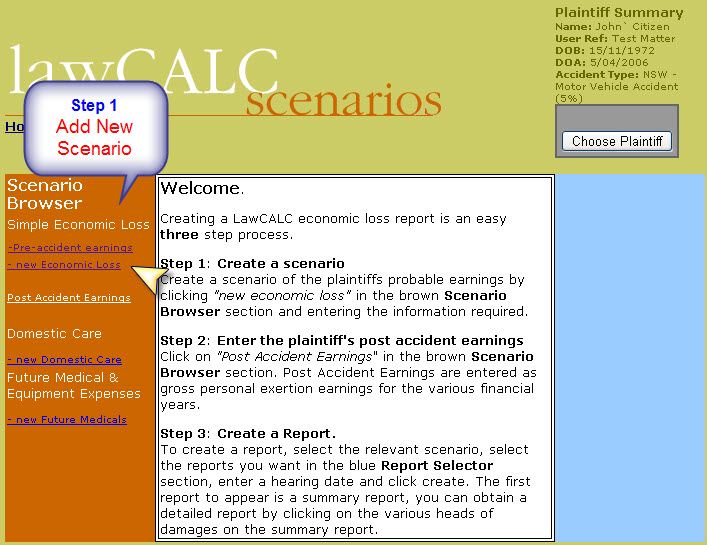
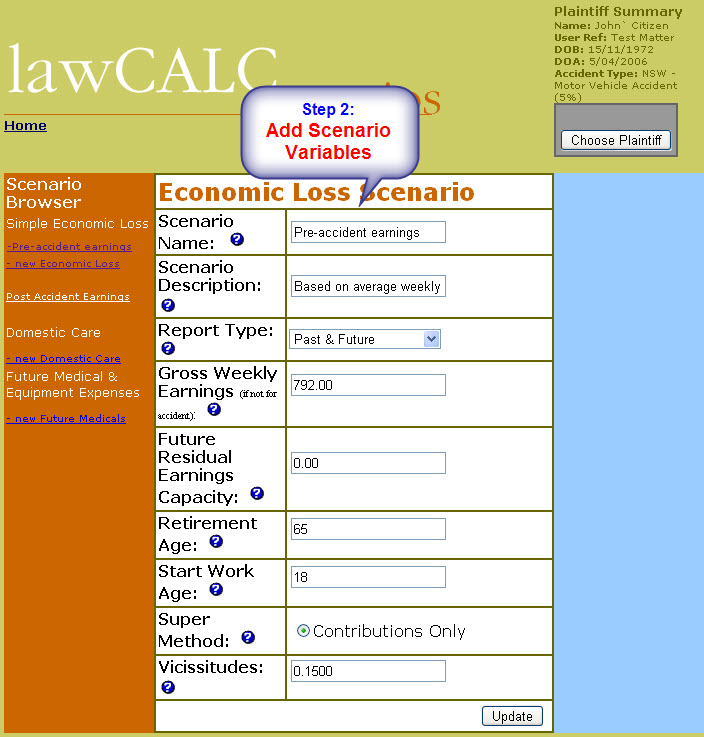
Step 2: Enter the economic loss variables
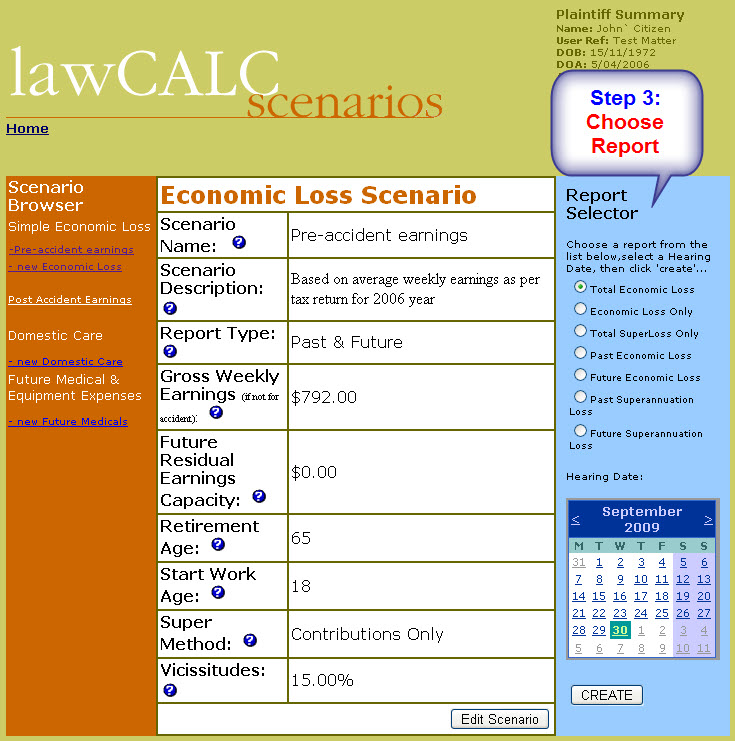
Step 3: Select Report and Hearing date and click Create
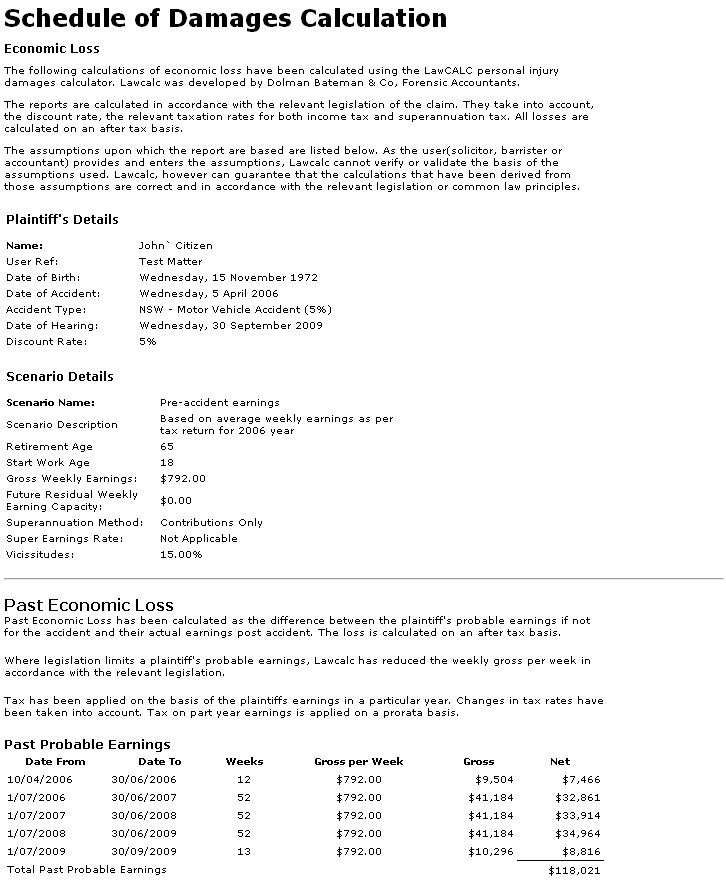
Final: The Report is displayed instantly, that can be printed of copied into your own documents:
Any questions, please leave a comment below or just call us and we would be happy to help.
Disclaimer: The information provided in this article is general in nature and does not constitute personal financial, legal or tax advice. All content relates to the current financial year only. Future changes to tax laws, thresholds or administrative requirements may affect the accuracy or relevance of this information, so you should always confirm that the guidance remains current. While every effort has been made to ensure accuracy at the time of publication, Dolman Bateman accepts no responsibility or liability for any loss or damage arising from reliance on this information. You should seek professional advice tailored to your circumstances before making any financial or tax decision.